
Take Proactive Control
of Your Manufacturing
Get full visibility across factories and subcontractors, deploy test software globally, monitor assets, and act early - without the cost and complexity of a traditional MES.
WATS Software Distribution Effortless Global Deployment
Deploy software and firmware to any connected test station worldwide with centralized control. Built-in revision management and release stages streamline distribution and eliminate manual errors.
Automated & Targeted Delivery
Be sure that the correct software is always in use. Design modular, granular software packages and automate deployment based on product parameters and station locations.
Central Management
Use the WATS web application to upload, create, and manage packages. Deploy updates with a single click while maintaining consistency and compliance across all stations.
Comprehensive Packaging
Include firmware, configuration limits, documentation, and other critical resources in central packages for synchronized global release.

Test Asset Management Keep Track from a Single Interface
Centralized tracking of all test equipment usage, calibration, and maintenance from a single interface. Define, group, and monitor assets with real-time health indicators and scheduled servicing alerts.
Proactive Maintenance
Enable test stations to monitor their own status and notify operators when maintenance thresholds are nearing, helping prevent downtime.
Integrated Test Data
Leverages UUT reports to deliver detailed, unit-level test insights. Supports multiple formats and methods are seamlessly integrated with WATS for accurate analysis and quality data management.
Customizable Asset and maintenance setup
Easily define assets, counters, and maintenance intervals. Export health status or synchronize with top-level maintenance tracking systems through the WATS API.

Manufacturing Control and Compliance
Stay ahead of production issues and maintain enterprise-wide quality with intelligent monitoring, rule‑based verification, and secure data sharing across your manufacturing network.
Advanced Alarming & Notifications
Set rules to monitor yield, volume, process anomalies, asset status, or report parameters. WATS alerts the right people when thresholds are breached, enabling rapid corrective action.
Enforce Unit Verification Rules
Ensure each product meets required manufacturing sequence, pass/fail history, and repair criteria. Units are graded automatically, so non‑conforming products are flagged immediately.
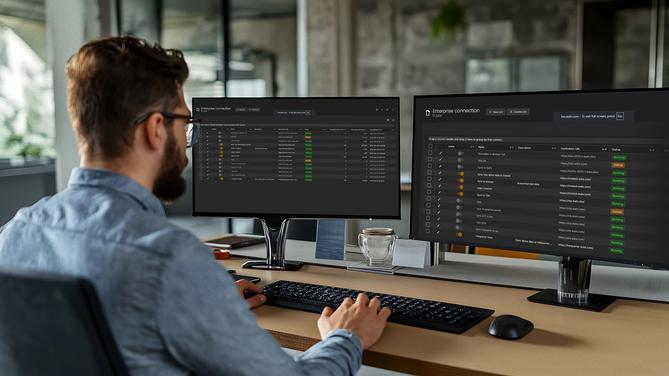
Enterprise Connection
Seamlessly forward test and repair data between accounts — ideal for OEMs and global contract manufacturers. Apply filters, set permissions, and use token‑based authentication for secure, uninterrupted data flow.

Everything you need to know
to get started with WATS
Explore more videos
Advanced Alarms and Notifications
Quick introduction to the alarming and notifications features in WATS.
A soft Approach to Manufacturing Execution Systems
Deep Dive: Recorded webinar on how to gain proactive control over your manufacturing - without the cost and complexity of a traditional MES.
Software and Firmware Distribution
Deep Dive: Recorded webinar on WATS Software Distribution.MAC Addresses and Serial Number Distribution
Keeping track of MAC Addresses and serial numbers can be a pain. WATS helps you streamline this process and ensure that you never assign one identifier to multiple units.
Centralized Identifier Management
Effortlessly manage MAC addresses and serial numbers. WATS prevents duplicate assignments by centralizing control and automating allocation.
Define & Import Ranges
Reserve, generate, or import valid ranges in the WATS Control Panel, or pull data from third‑party systems. The WATS client can be used with the API or automatically. It receives MAC addresses or serial numbers, not identifiers.
Seamless Test System Integration
Once configured, request new MAC addresses or serial numbers directly from your application. Works with TestStand, LabVIEW, C#, and more.

Close the Quality Loop Add Repair Data
Repairs often indicate underlying issues that require attention. Capturing and consolidating all repair data in one place ensures complete traceability, strengthens root cause analysis, and supports continuous improvement.
Explore Repair Feature
Learn More About WATS Product Features
Traceability and Unit Flow

With WATS you get full traceability into the complete unit history. With Unit Flow you get comprehensive visibility into how units move through your p...
Root Cause Analysis with AI

The WATS Process Heatmap turns complex data into intuitive, actionable insights. Drill down from high-level insights to the exact test steps causing t...